





Getting your voucher from PETRONAS Shop has never been easier.
For staff purchases using back charge payment method, the code will be sent after order is approved by PETRONAS Shop team.
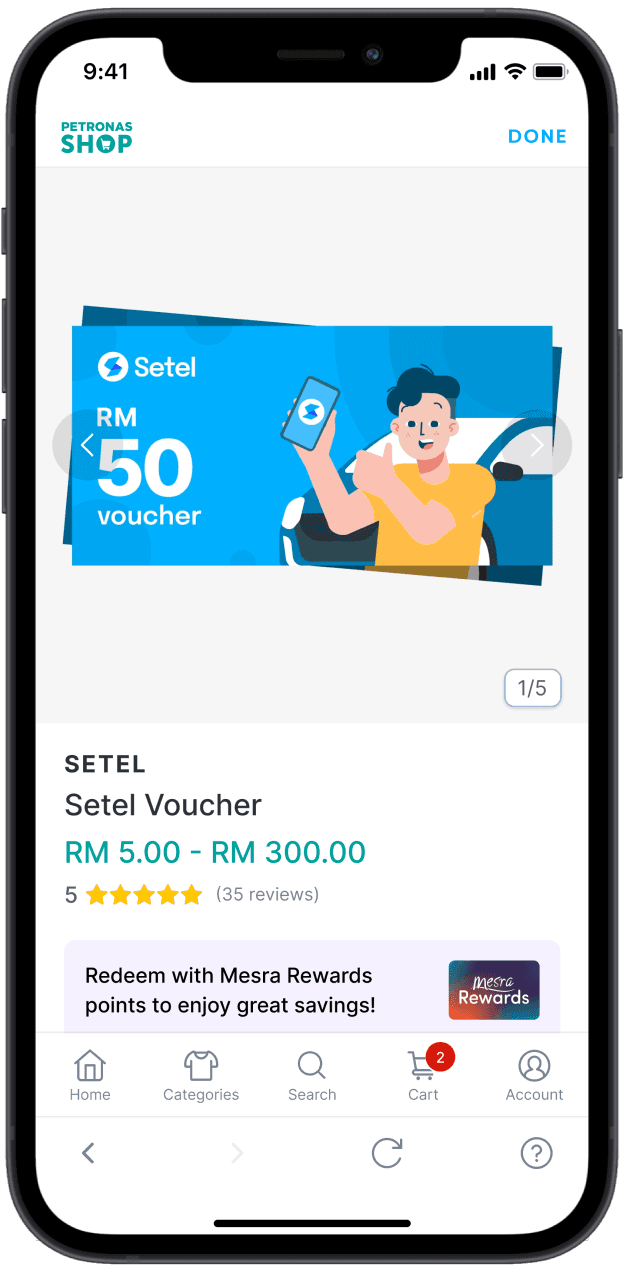
Step 1
Log in with Setel. Your account must be verified to purchase the voucher.
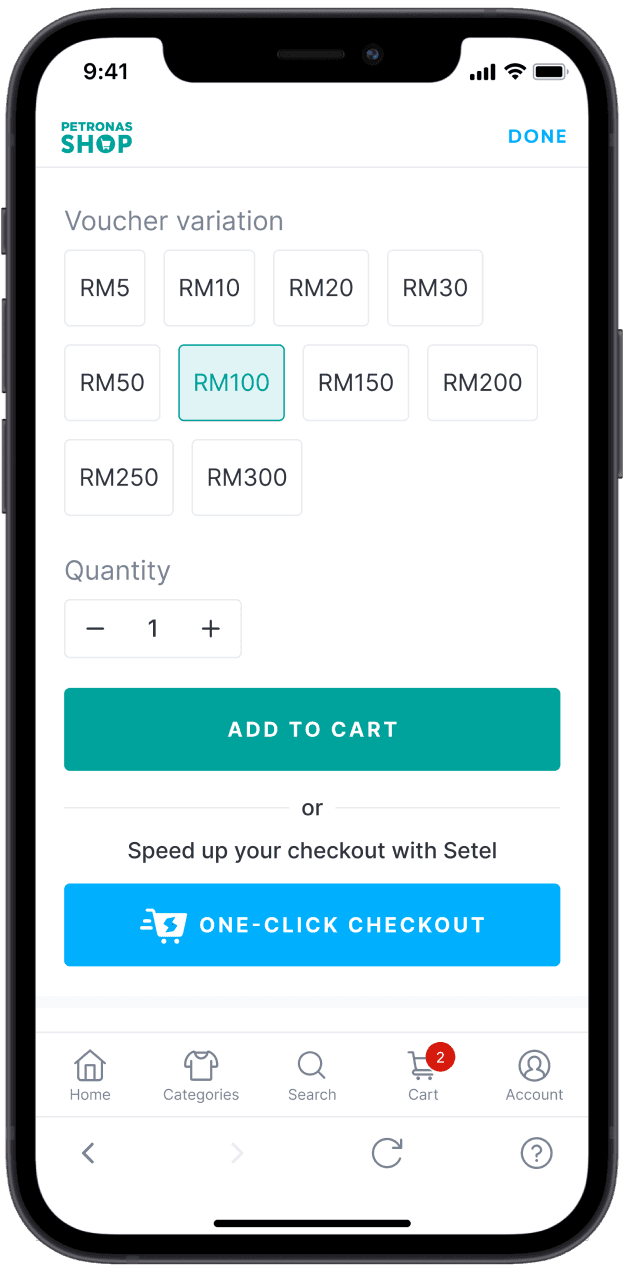
Step 2
Choose top-up value and add to your cart.
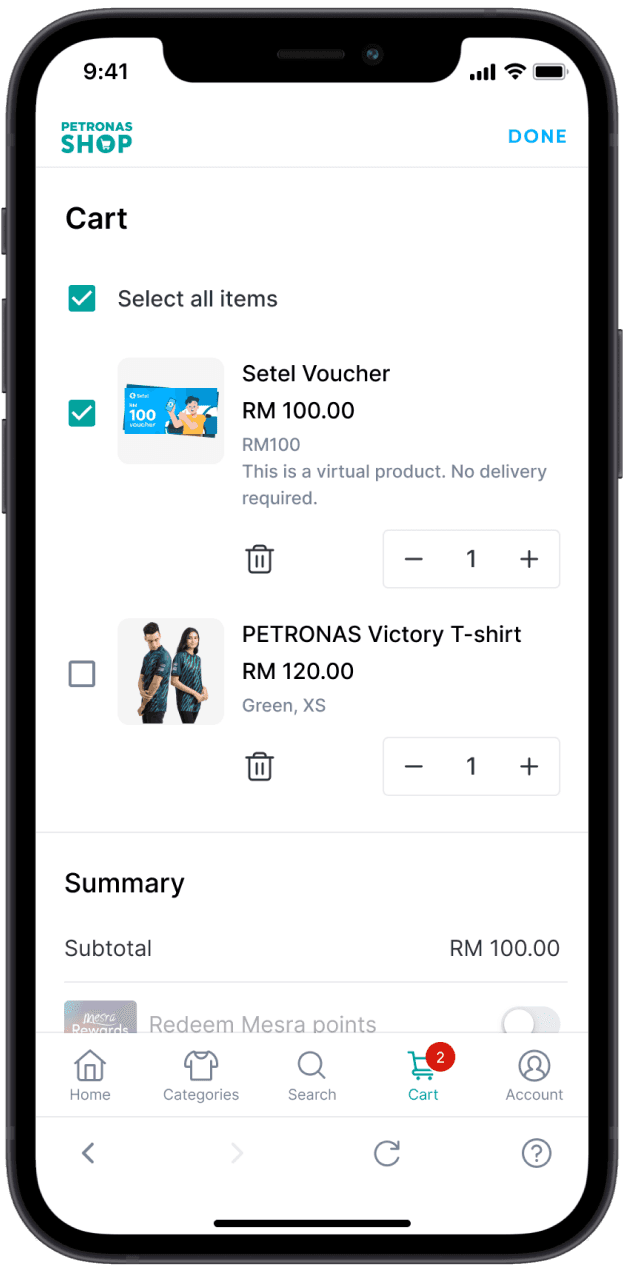
Step 3
Review your cart and check out.
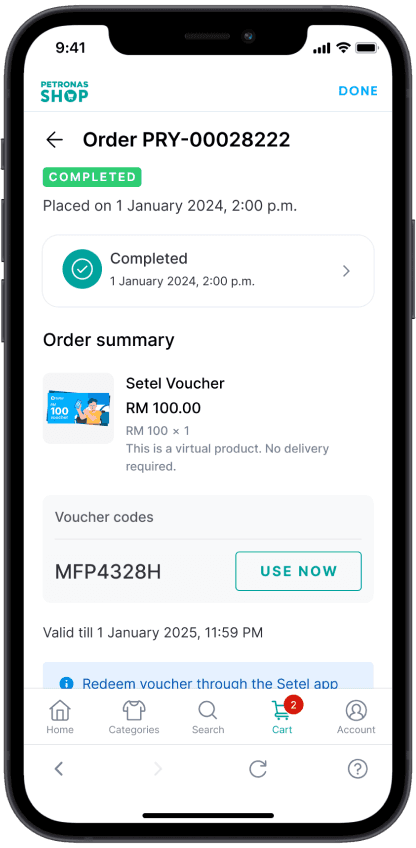
Step 4
After successful payment, you’ll instantly receive the top-up voucher code.
Got your voucher code? Here’s how to redeem it.
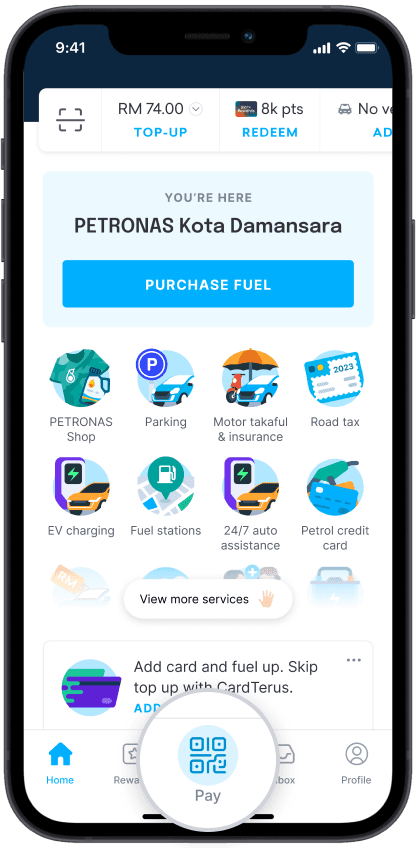
Step 1
Launch Setel and go to ‘Pay’.
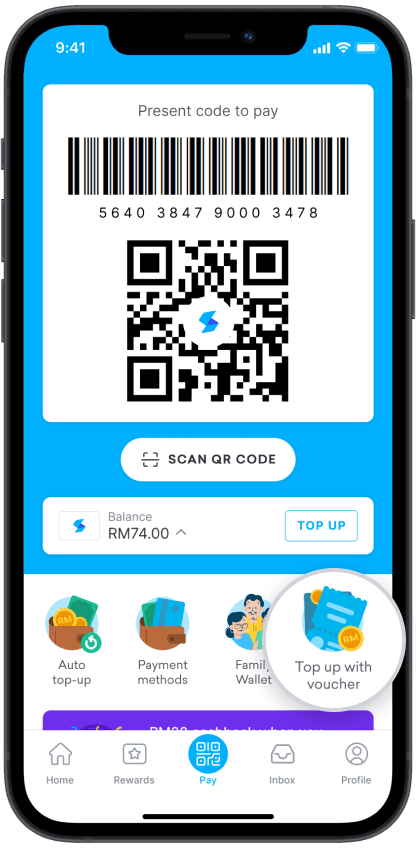
Step 2
Tap on ‘Top up with voucher’
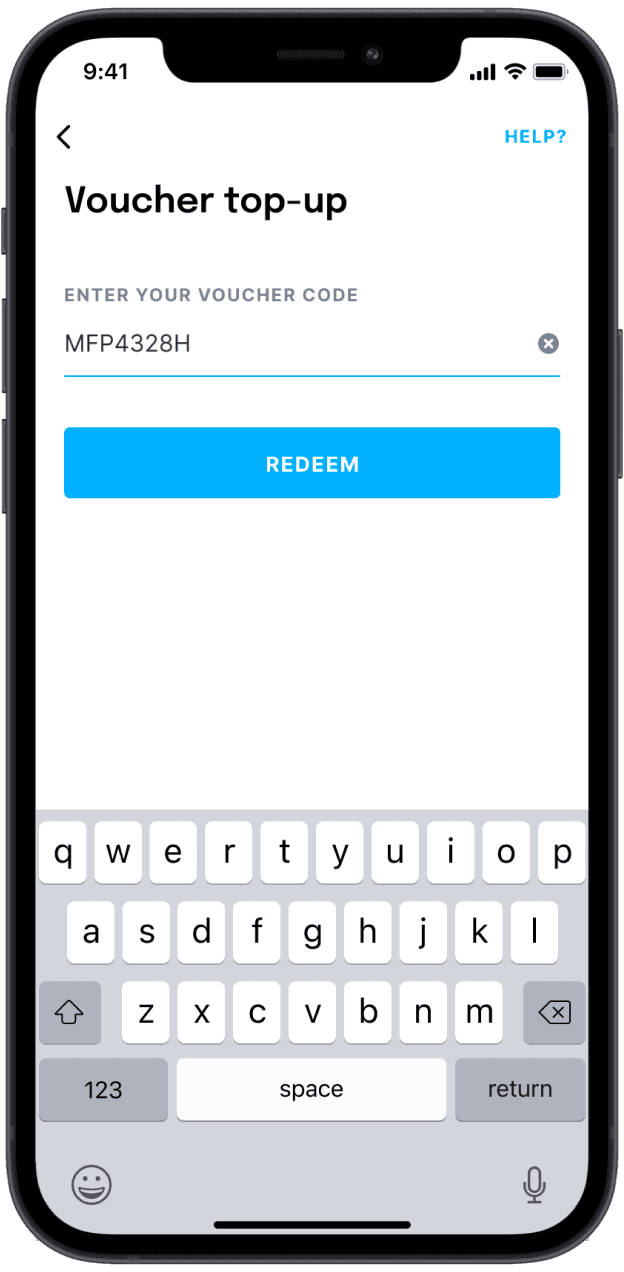
Step 3
Enter voucher code and tap ‘Redeem’.
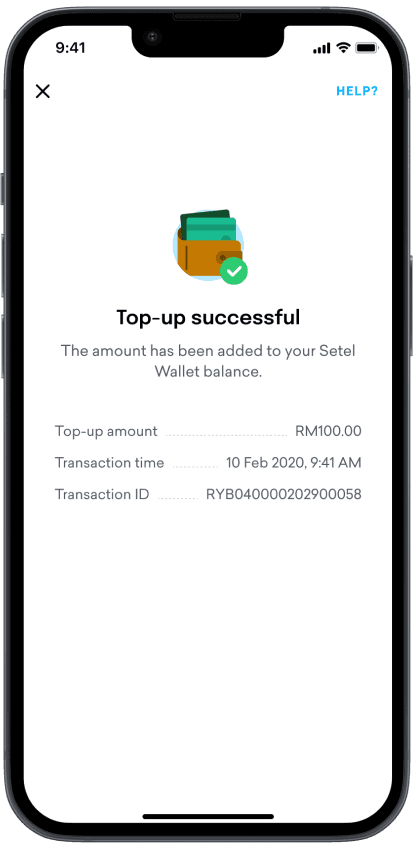
Step 4
Top-up successful! You will see the balance reflected in your Setel Wallet.
How long is the Setel voucher valid after purchase?
How quickly will I receive the Setel voucher code after purchase?
I’ve redeemed my Setel voucher codes, but why are they not reflected in my Setel Wallet?
What constitutes a B2B transaction in terms of amount?
Can I receive a physical voucher?